How to verify your LinkedIn account
To verify your organization's credentials with LinkedIn, POK Proof of Knowledge needs the URL of your LinkedIn profile. Copy the profile link from LinkedIn, paste it into the "User profile link" field in POK, and confirm. The exact steps depend on whether you use a company page, a school page, or a personal account.
Company pages
-
Open your company page while signed in with your admin account.
-
Click View as member in the upper left area of the profile.
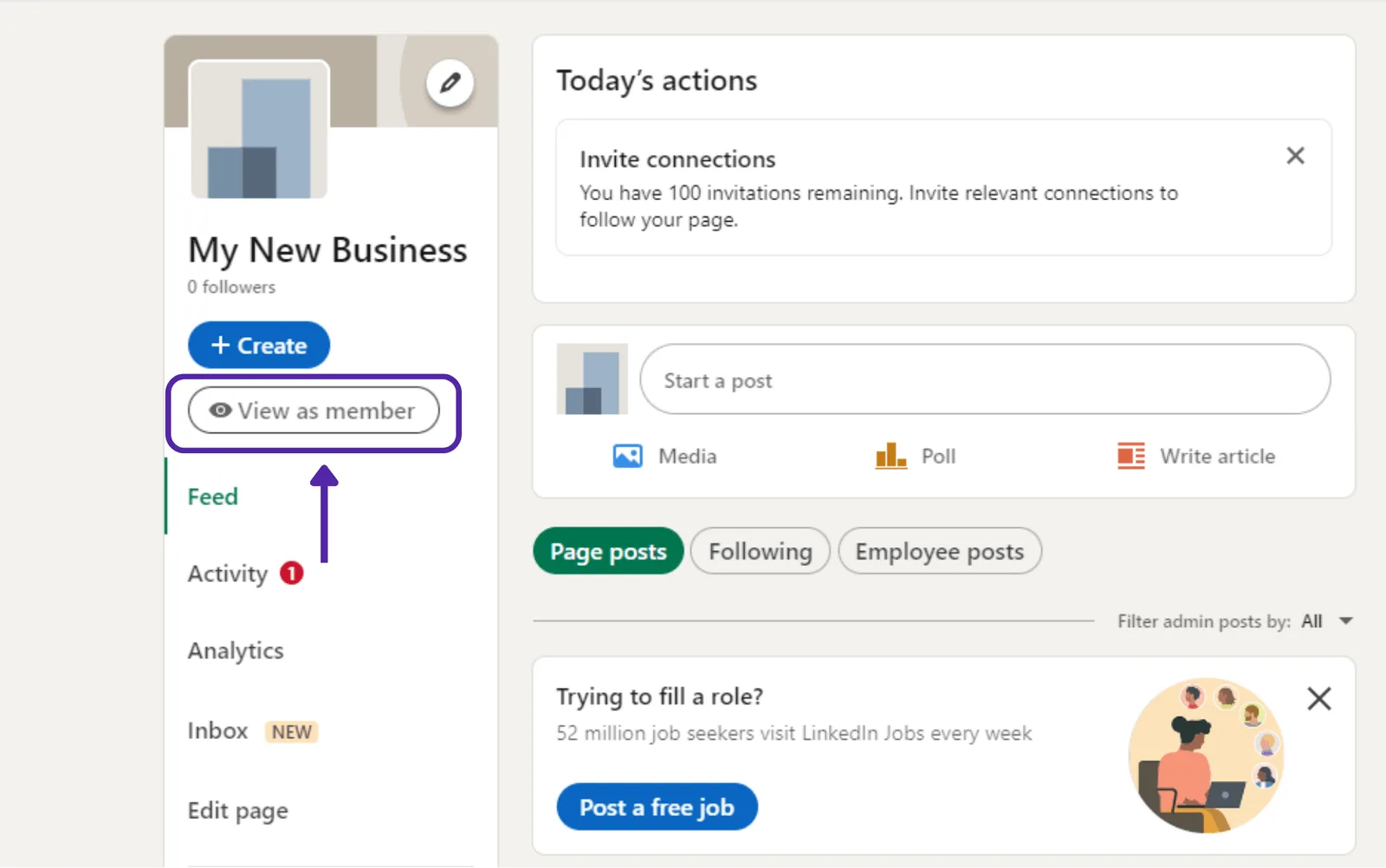
-

From the member view, copy the URL up to the company name. Do not include the
/about/?viewAsMember=truefragment. -
In POK, paste the URL into the User profile link field. For example:
https://www.linkedin.com/company/your-page-name
Educational pages
-
Open your school page while signed in with your admin account.
-
Click View as member in the upper left area of the profile.
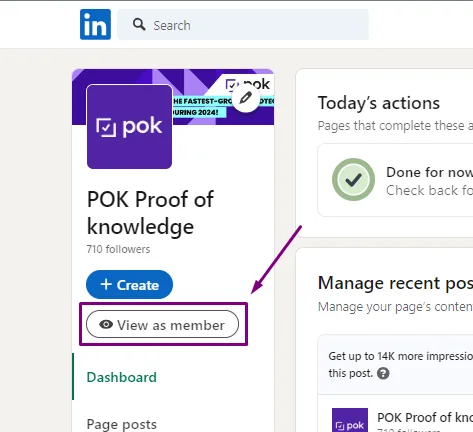
-

From the member view, copy the URL up to the school name. Do not include the
/about/?viewAsMember=truefragment. -
In POK, paste the URL into the User profile link field. For example:
https://www.linkedin.com/school/your-page-name
Personal accounts
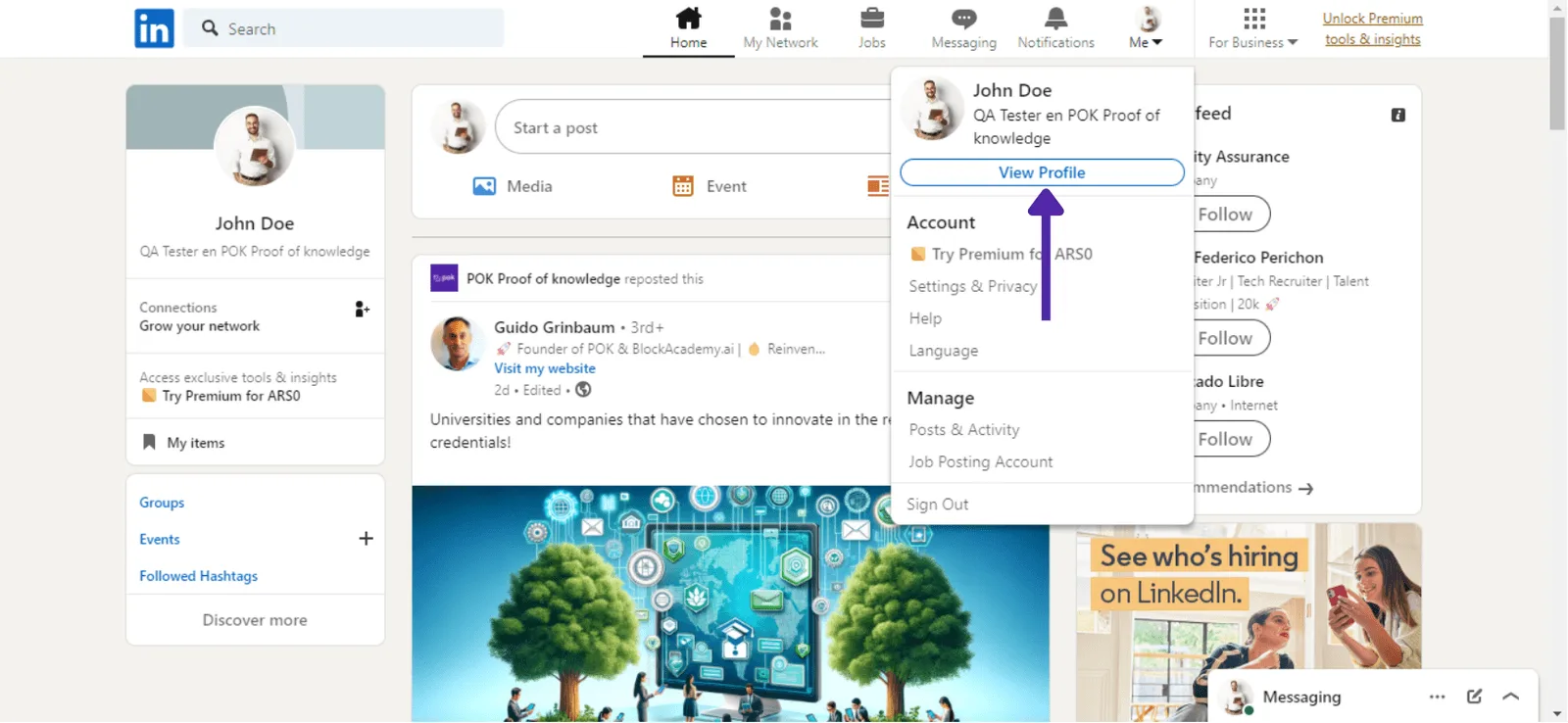
- On LinkedIn, open your profile from View Profile.
- Copy the URL from the browser address bar.
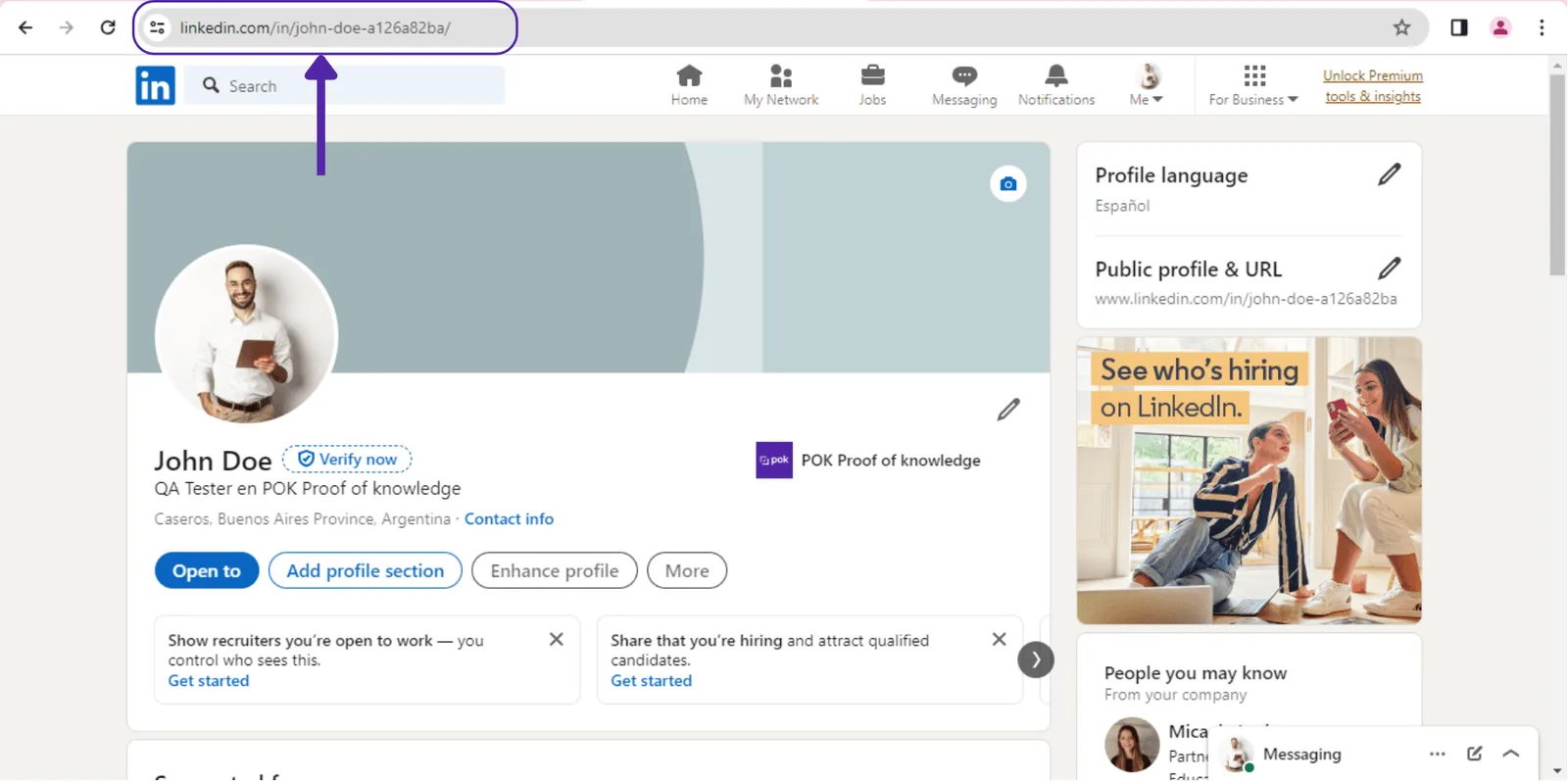
- Paste the URL in the requested format into POK and click Confirm.
Need more detail on any of these steps? See the full guide.