Verify your LinkedIn account (full guide)
To verify your organization's credentials with LinkedIn, you link your LinkedIn page or profile in POK Proof of Knowledge and then confirm ownership by publishing a post that contains your POK Proof code. This guide covers the full process for company pages, educational pages, and personal accounts. If you only need the essentials, see the short version.
Get your LinkedIn profile link
For company pages
-
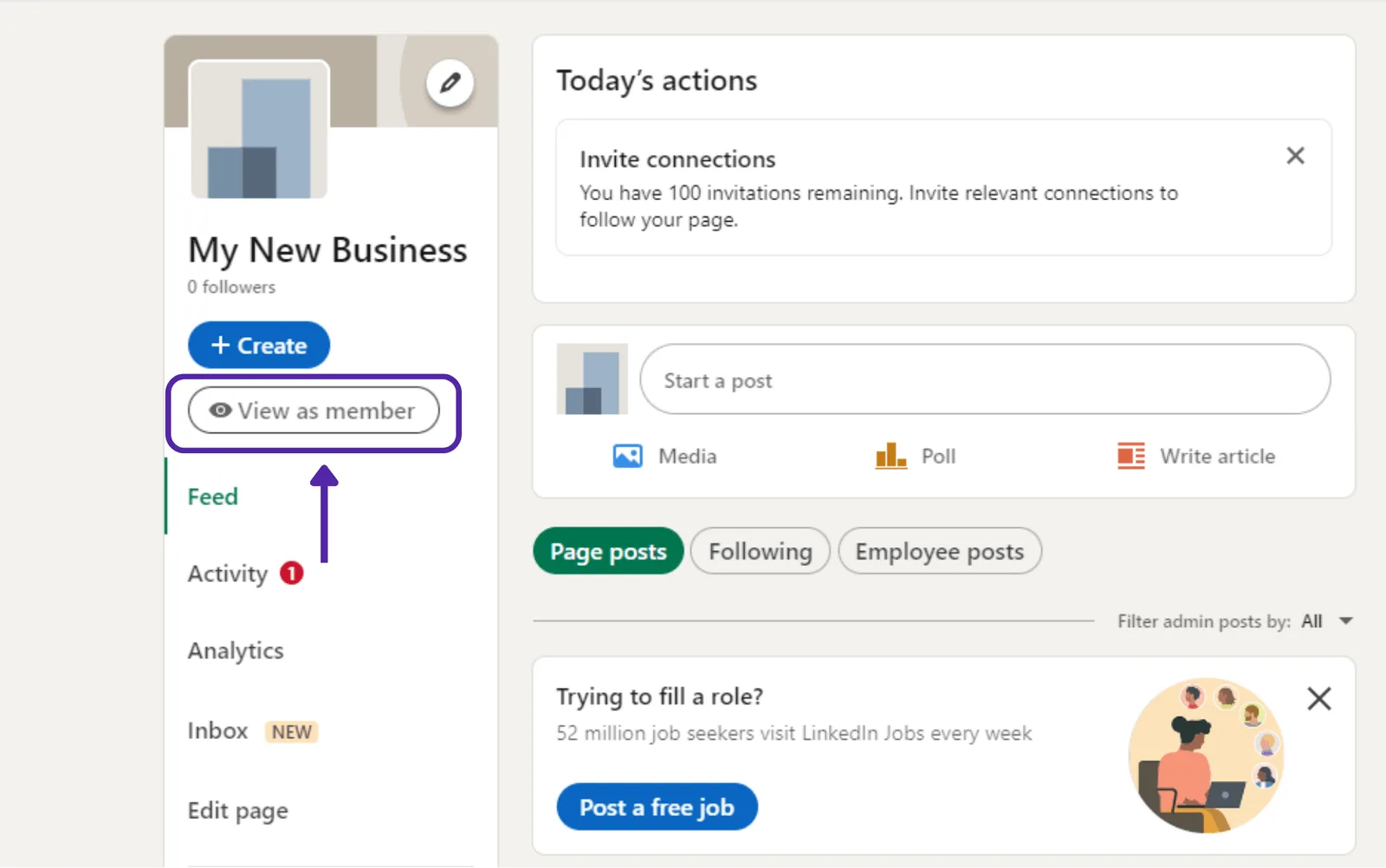
Open your page from your admin account.
-
Click 'View as member' in the upper left corner of the profile.
-

From the 'View as member' page, copy the URL up to the company name, without the fragment '/about/?viewAsMember=true'.
-
In the 'User profile link' box in POK, paste the URL you copied from LinkedIn. For example:
https://www.linkedin.com/company/your-page-name
For educational pages
-
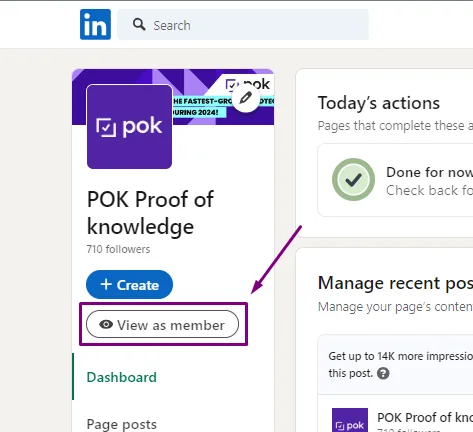
Open your page from your admin account.
-
Click 'View as member' in the upper left corner of the profile.
-

From the 'View as member' page, copy the URL up to the school name, without the fragment '/about/?viewAsMember=true'.
-
In the 'User profile link' box in POK, paste the URL you copied from LinkedIn. For example:
https://www.linkedin.com/school/your-page-name
For personal accounts
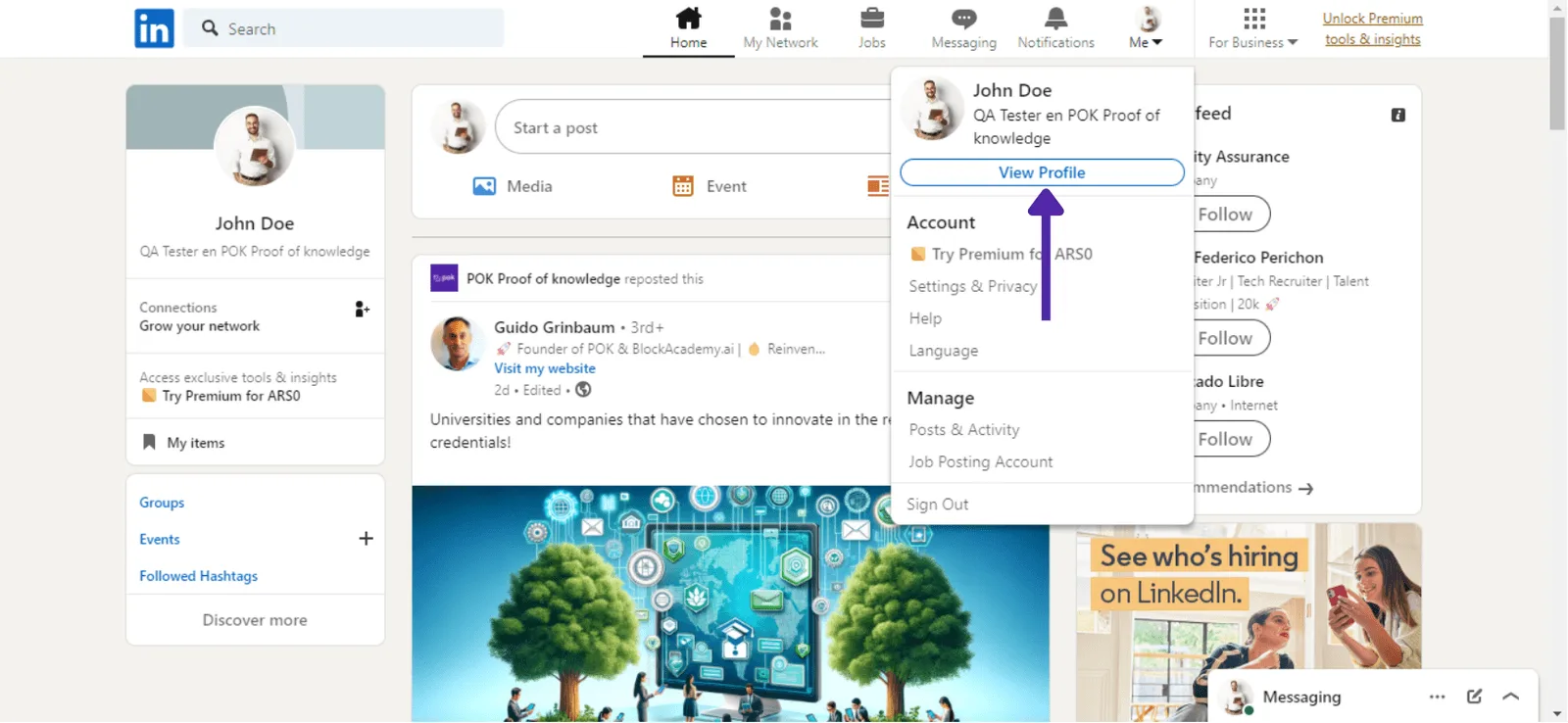
- Go to your profile from "View Profile".
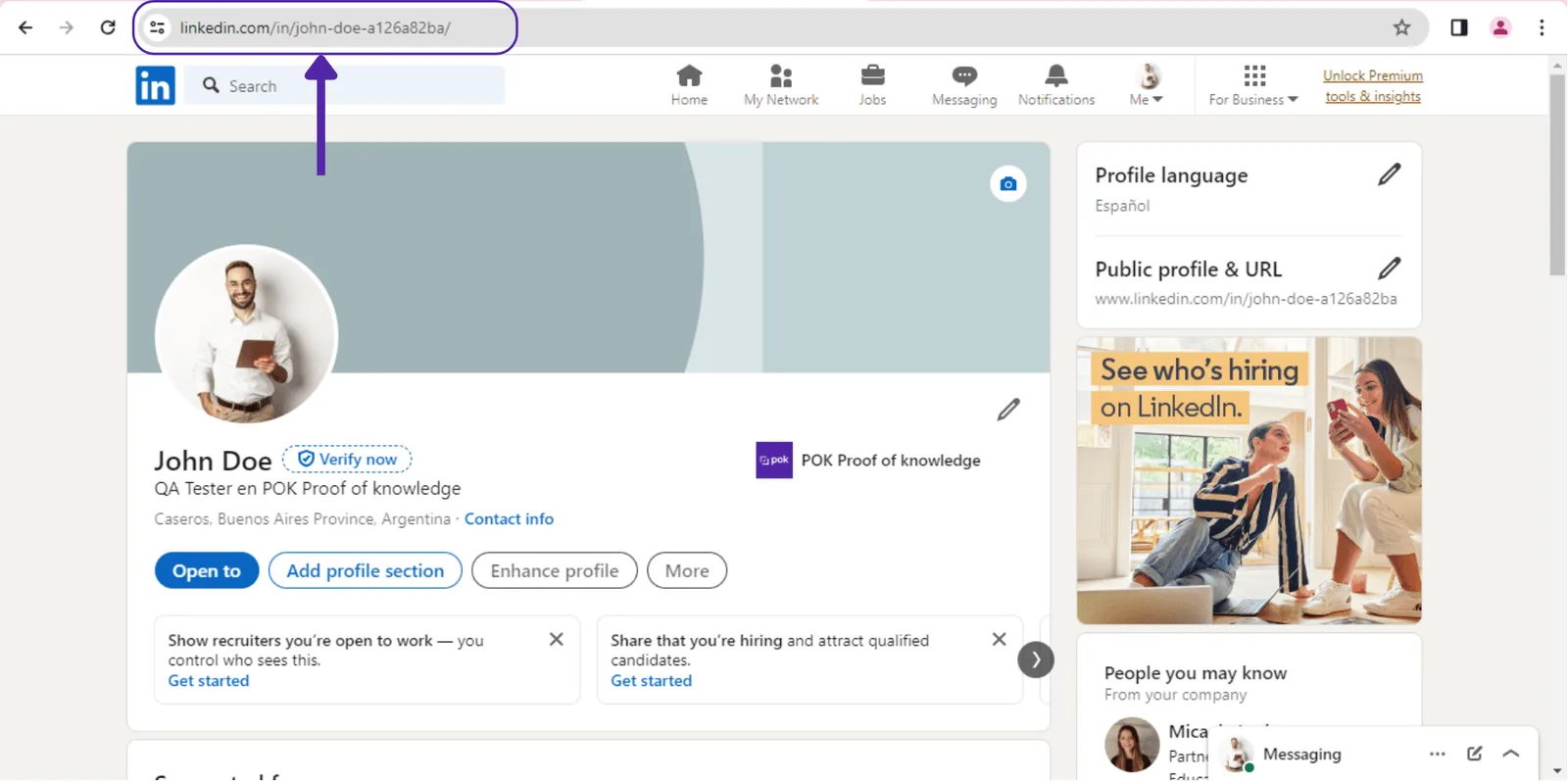
- Copy the URL from the browser address bar.
- Paste the URL in the requested format into POK and click "Confirm".
Complete the account verification
Once your LinkedIn account is linked, you still need to complete the verification. You do this by publishing a post on your LinkedIn feed with the 'POK Proof' code you receive during the process. Follow these steps:
-
From 'Organization Settings', click 'Complete Verification' next to the linked LinkedIn account.
-
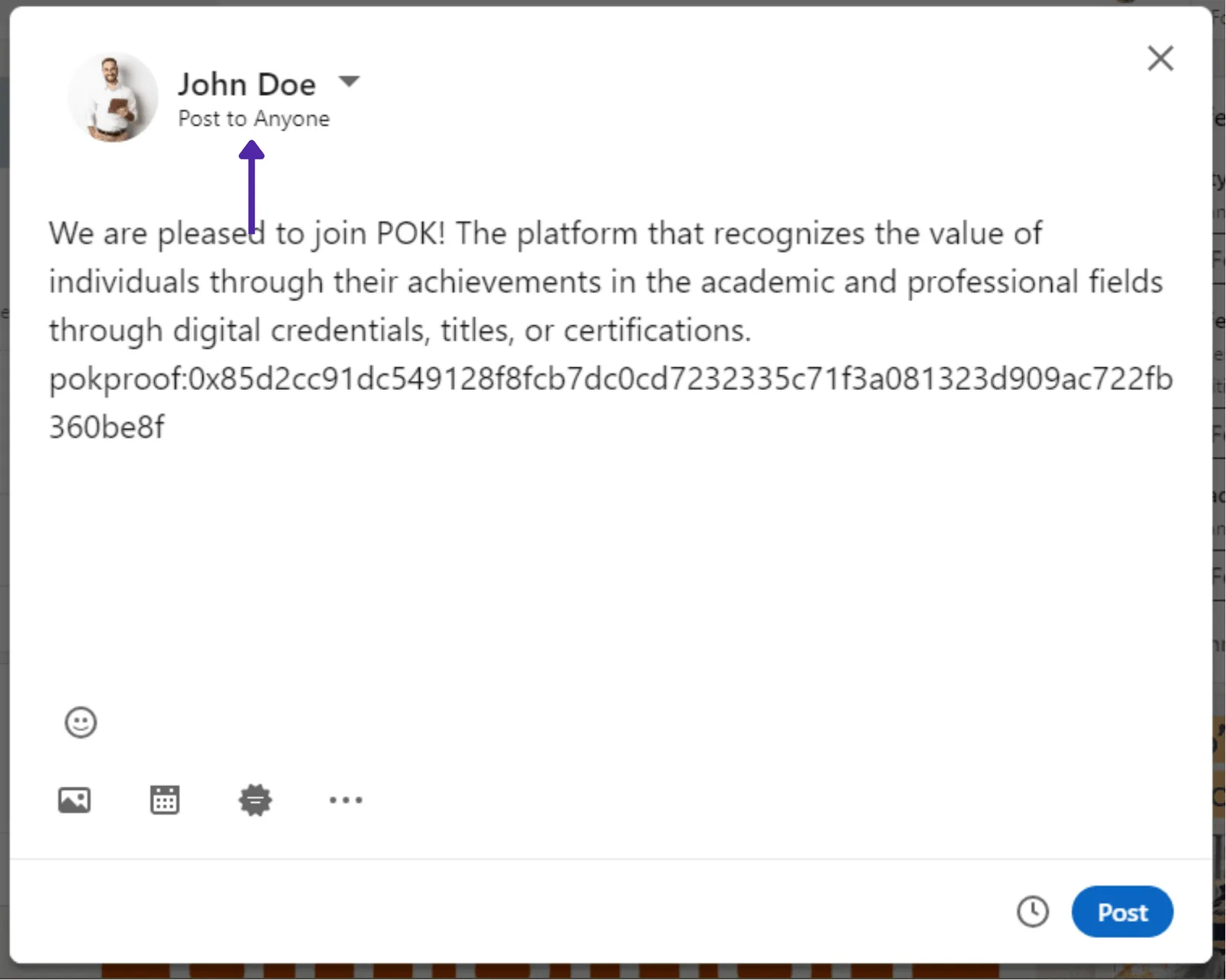
Copy the post containing the 'POK Proof' using the 'Copy' button.
-
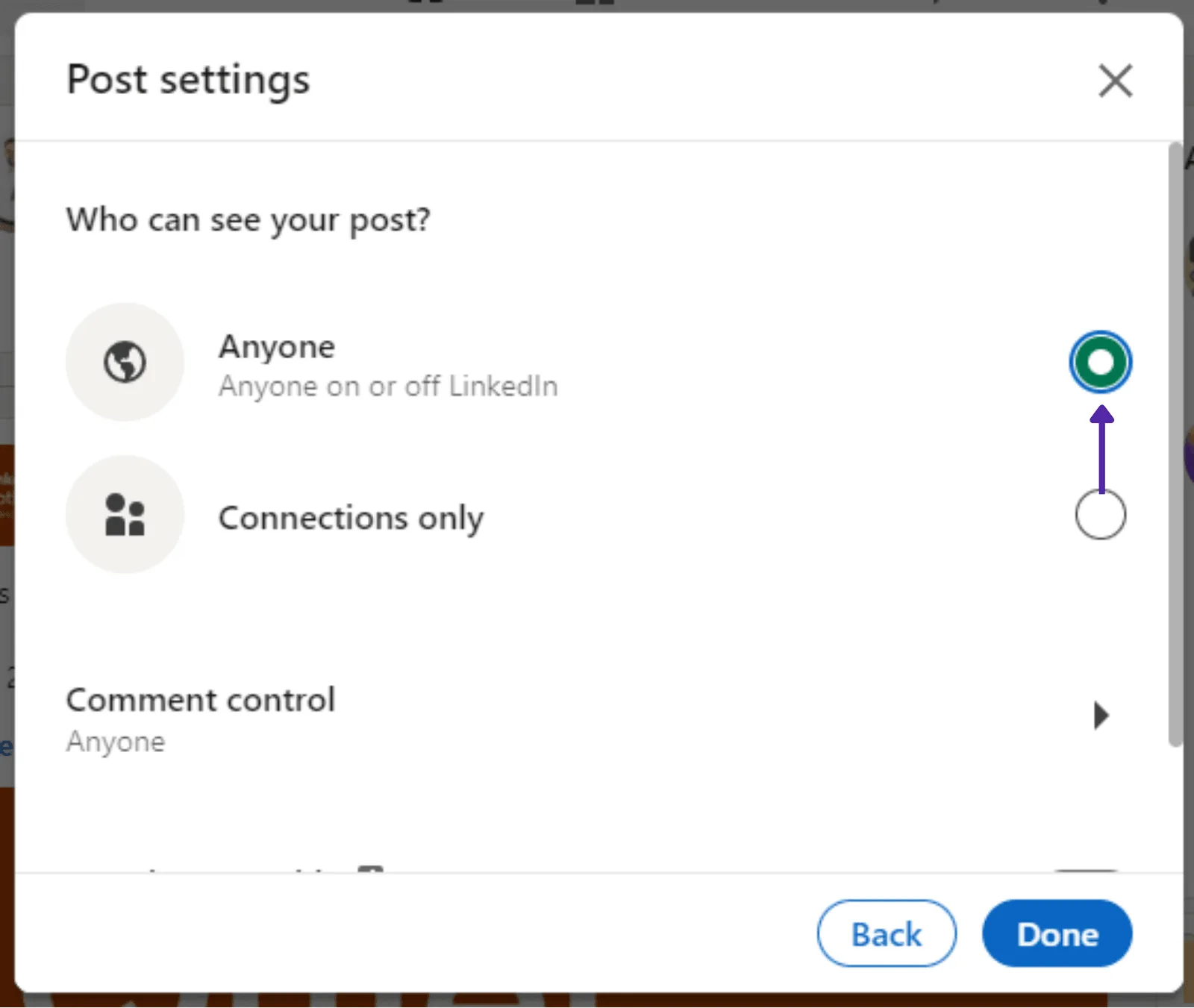
Create a LinkedIn post with the 'POK Proof'. Remember to set the post visibility to 'Anyone on or off LinkedIn'.
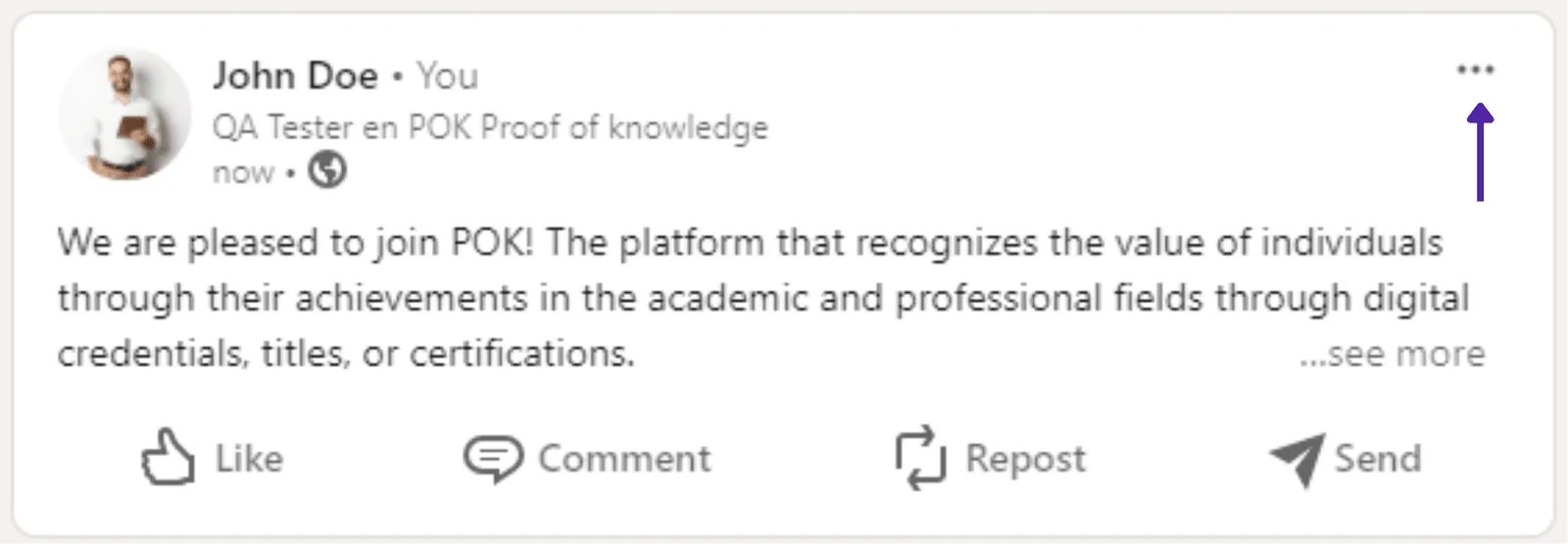
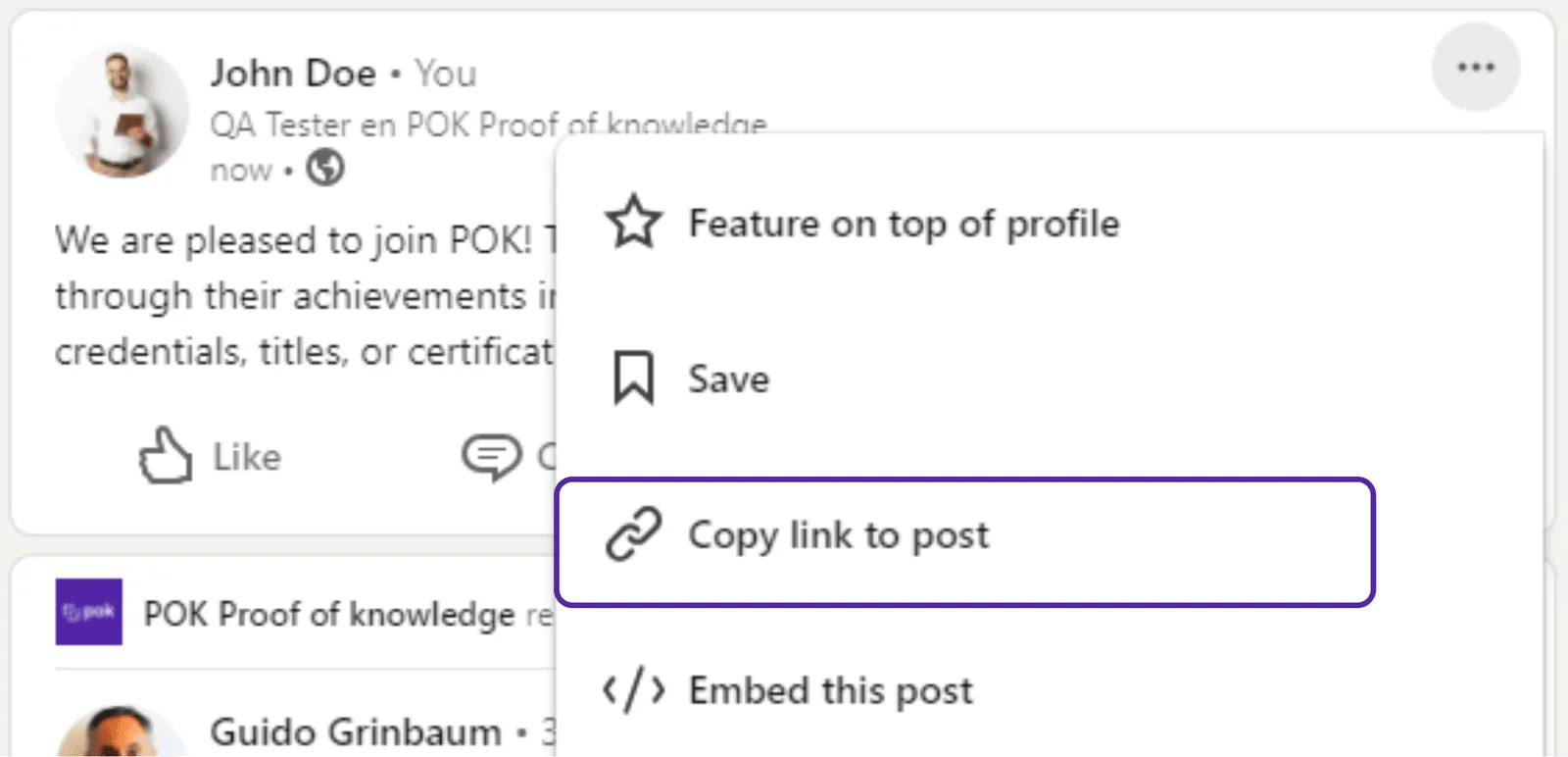
- Copy the link to the post: click the three dots at the top of the post, then 'Copy link to post'.
- Paste the link into the 'Post link' box in POK and click 'Verify'.