Verify your LinkedIn account with a post link
After you link your LinkedIn account to POK Proof of Knowledge, you still need to verify that the account is yours. To do this, publish a post on your LinkedIn feed that contains the POK Proof code shown during verification, then paste the link to that post back into POK.
Publish the POK Proof post and verify
-
In 'Organization Settings', click 'Complete Verification' next to the linked LinkedIn account.
-
Copy the post text that includes the POK Proof code using the 'Copy' button.
-
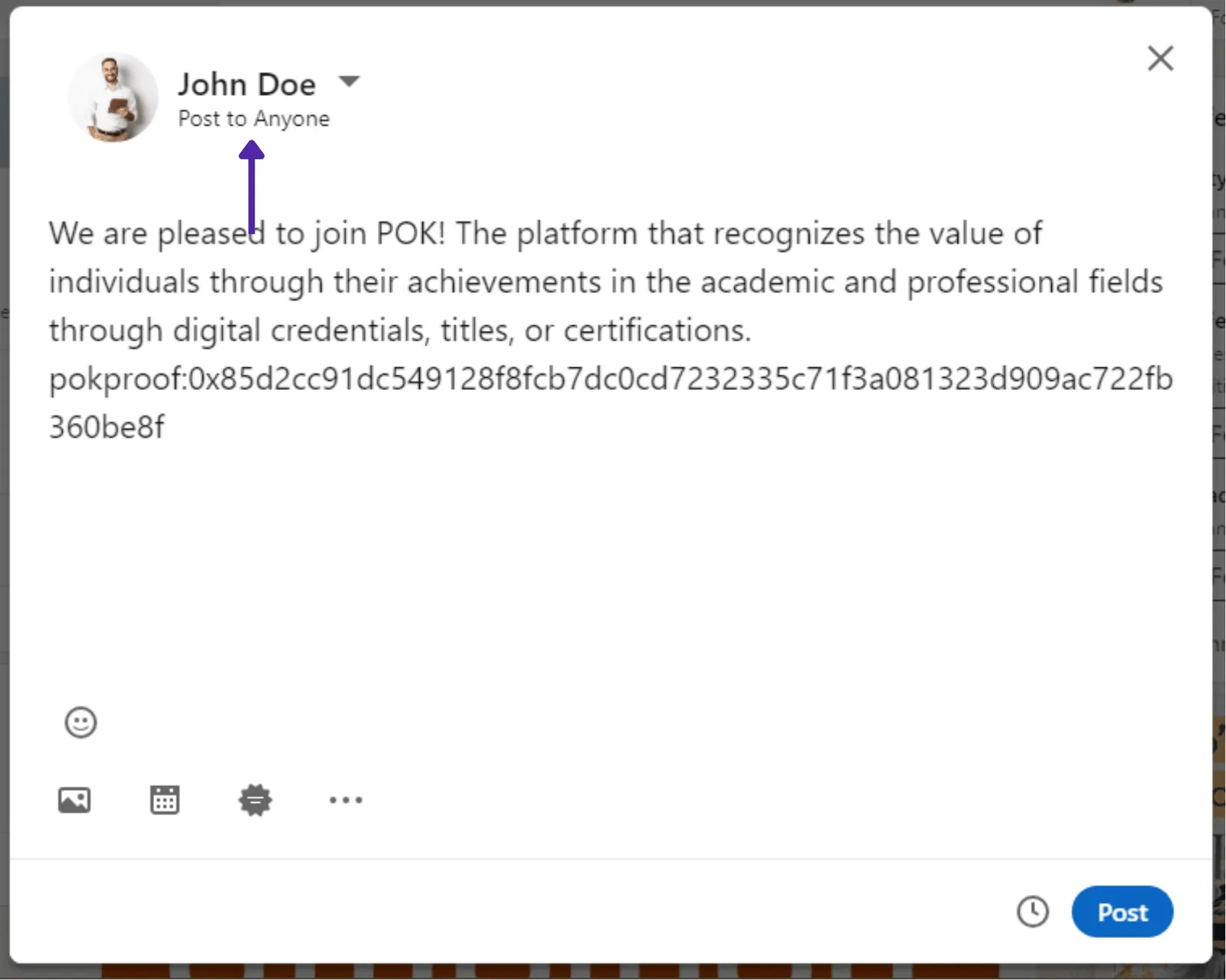
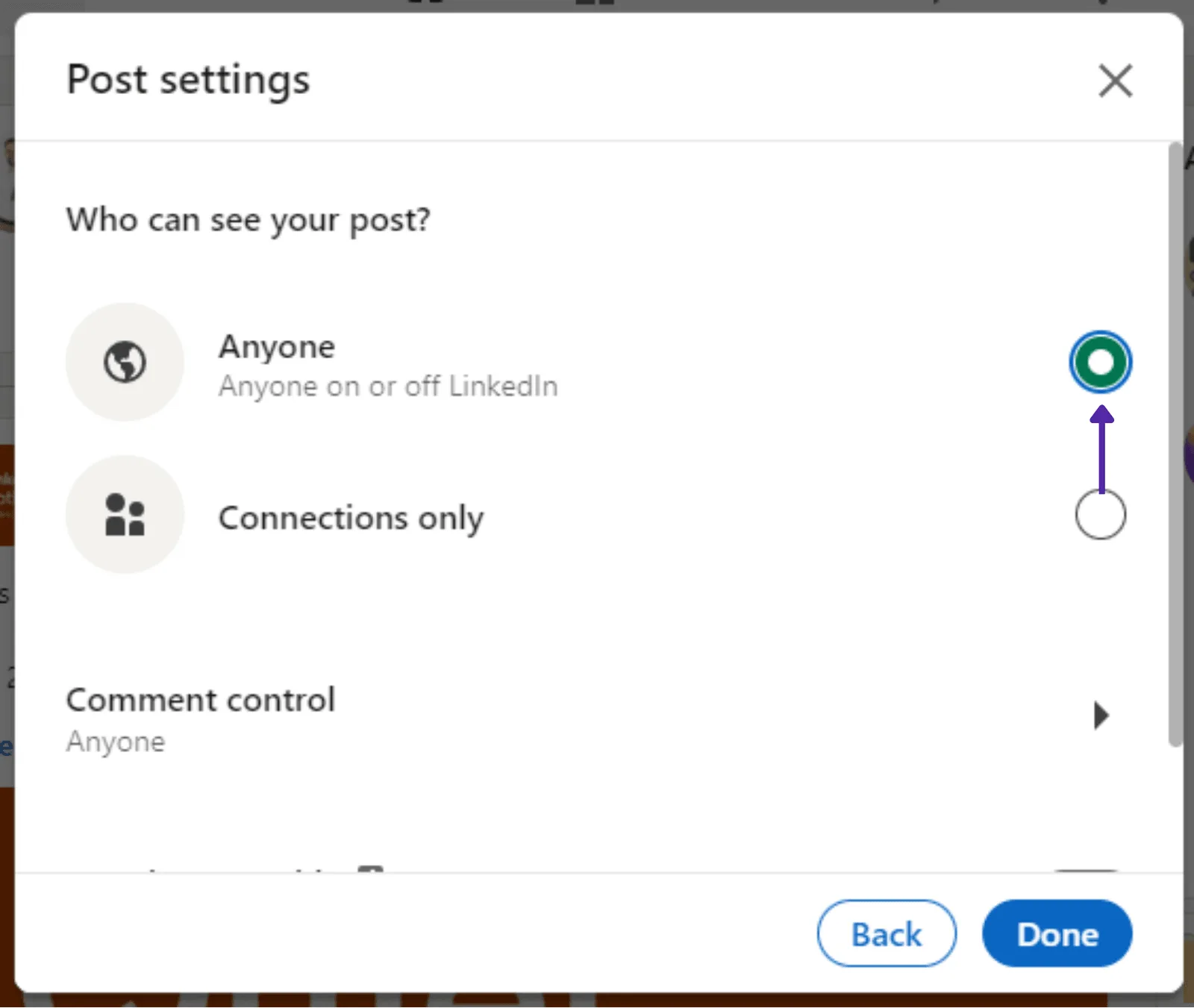
Create a LinkedIn post with the POK Proof code. Make sure the post visibility is set to 'Anyone on or off LinkedIn'.
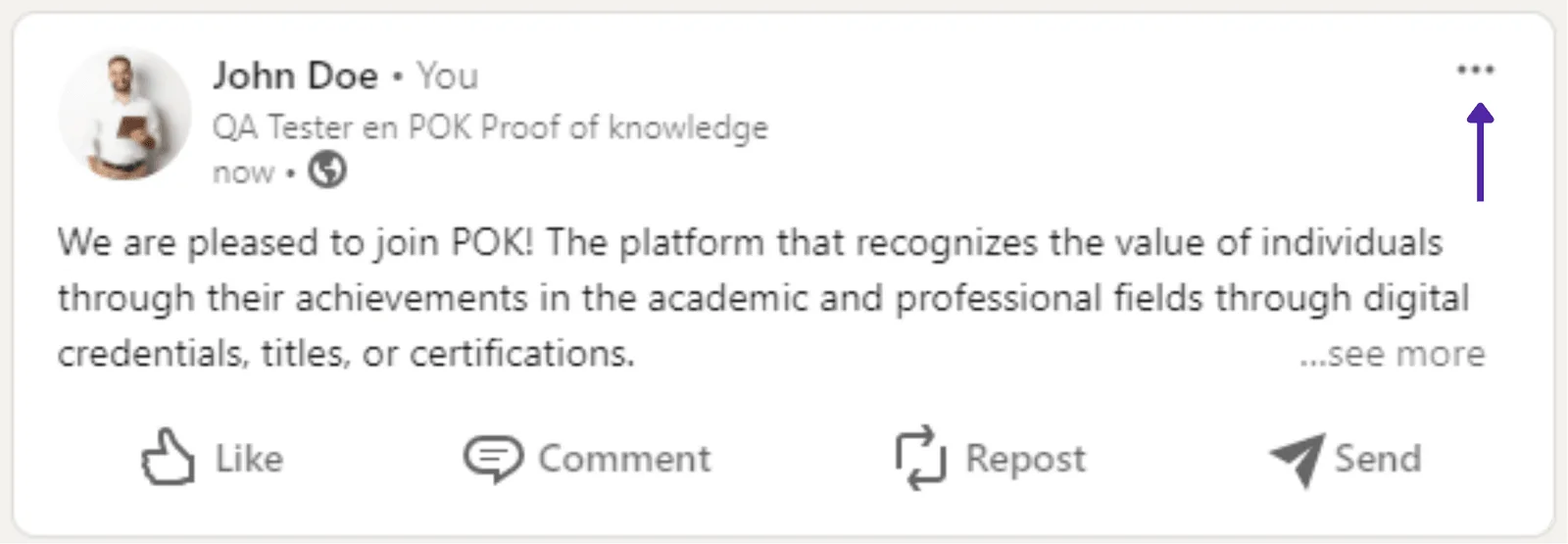
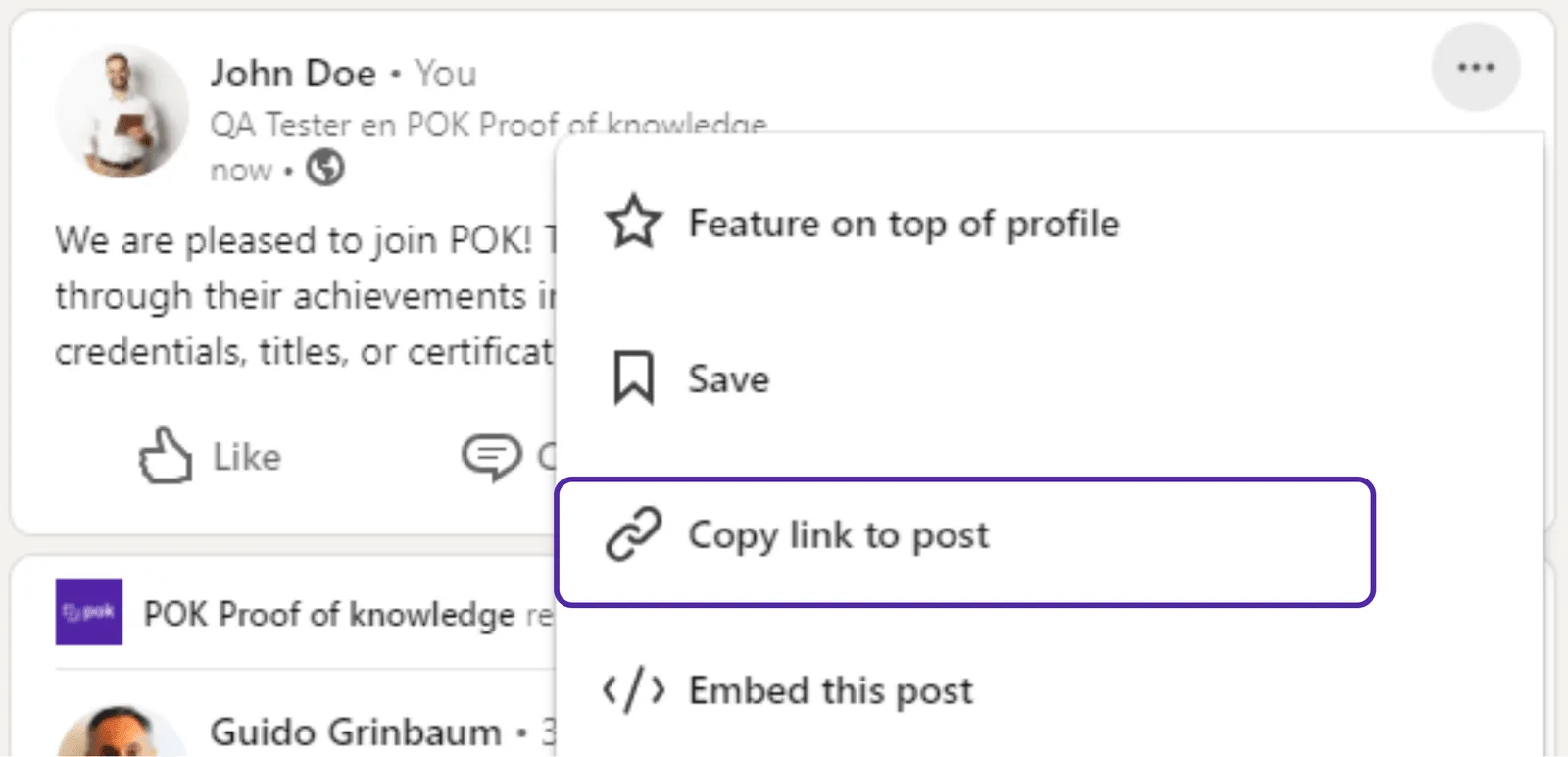
- Copy the link to your post: click the three dots at the top of the post and select 'Copy link to post'.
- Paste the link into the 'Post link' box in POK and click 'Verify'.